Somov Studio

Somov Studio

SOMOV STUDIO

It is not a commercial project of an independent specialist in the field of automated testing.

Browser Hat v1.4.0 (01/01/2026)

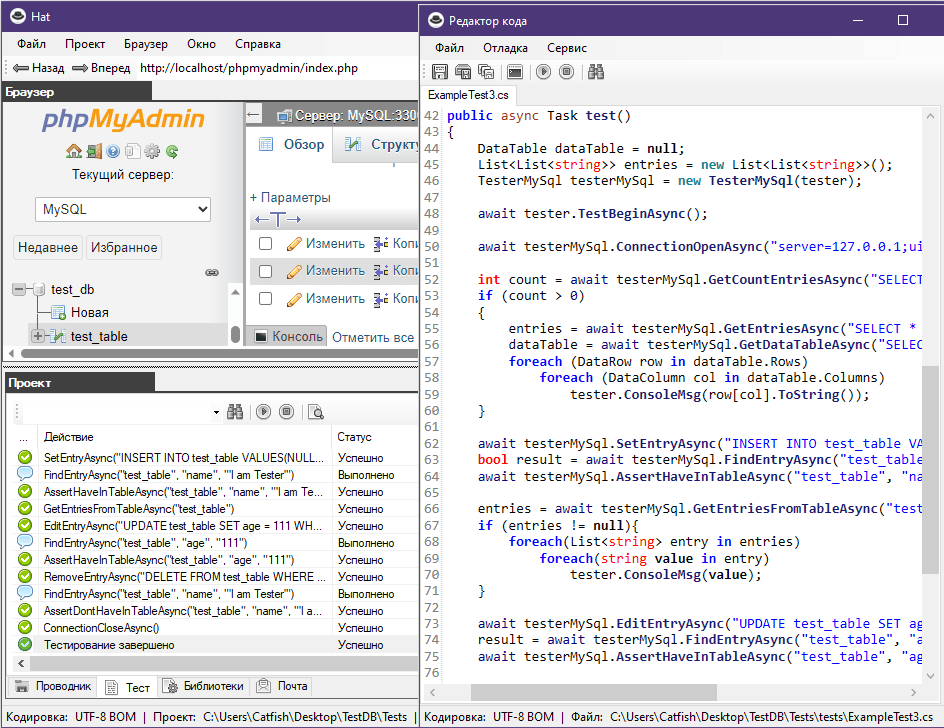
A free browser with automated web application testing technology.

Free Download

Browser Hat

A free browser with automated testing technology for Web applications.

The browser is based on the Microsoft Edge WebView2 component. Autotests are performed in the Hat browser. The Hat framework contains the methods necessary to perform the basic tasks of test automation.

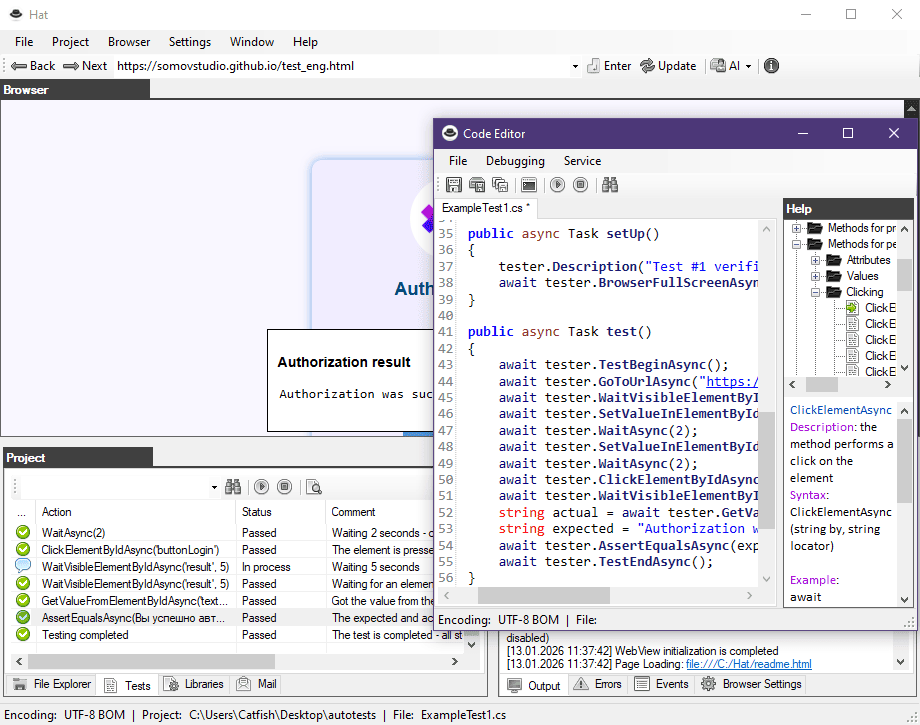
Autotest scripts are written in C#. The browser has a code editor. You can also use Visual Studio as an editor. The user-friendly browser interface shows all the steps of the test with a detailed description of the events. AI chats: Gemini, DeepSeek and Alice will help you develop autotests.

The verification result is generated in a report and sent to the specified email address. You can run autotests from the Windows command line, as well as in Jenkins, TeamCity, GitLab CI/CD.

Hat
Zionec

The program was developed with the non-commercial support of the Zionec company. The company develops "Online stores", "Corporate portals", "CRM systems" and its own solutions.
Webview2

System requirements

Operating system Windows 8, 8.1, 10, 11.

The Microsoft package .NET Framework 4.8 (download runtime installer)

Microsoft Edge WebView2 Package (download runtime installer)

Test automation

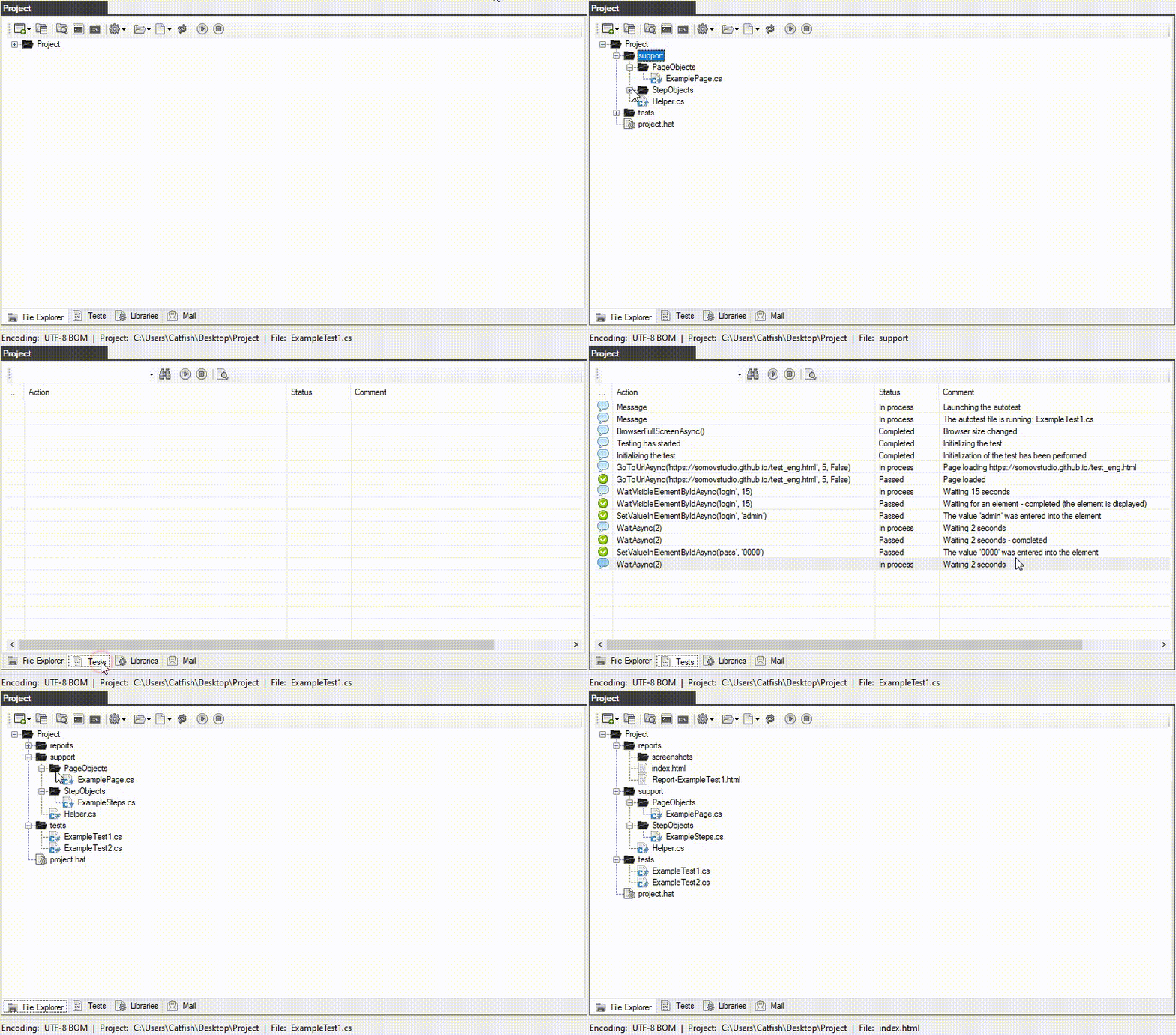
All actions on autotests are performed directly in the browser. The Project window is designed for working on an autotest project. All necessary actions on the project files and folders are performed on the Explorer tab.

The entire process of performing the autotest with clear and detailed descriptions takes place on the "Test" tab. The list of connected libraries is edited on the "Libraries" tab during the test.

The autotest process on the "Test" tab shows in great detail all the steps and stages of verification. If you drop any of the steps, you will receive a clear explanation of what happened during the check.

Demo test automation
Plugin

Plugin

HatPluginMySql - a plugin for the Hat browser that allows you to perform automated testing of data in a MySQL database.

System requirements:
the plugin is compatible with the Hat browser starting from version 1.4

    Documentation:
  • Installing the plugin ( link )
  • Connecting the plugin to the project ( link )
  • A general example of an autotest ( link )
  • Description of the built-in methods ( link )

Download Repository Google Disk Help

Video

This video explains the basic principles of working with the browser, creating an autotest project and running a demo test, as well as the general principles of working with the built-in editor and the structure of autotests described in the C# programming language. It also shows the launch of autotests via the command line, which is necessary when using autotests with continuous integration tools.

    Video lessons:
  • Lesson #1: A Visual Studio project and an example of a demo autotest description
  • Lesson #2: Executing JavaScript code in the autotest body
  • Lesson #3: Autotest for checking the API and processing the result in JSON format
  • Lesson #4: Autotest for checking the site map (sitemap.xml )
  • Lesson #5: HatPluginMySql plugin - automated MySQL database testing

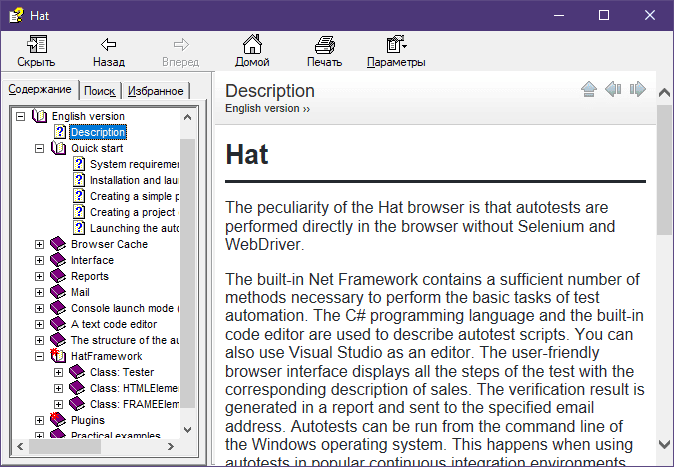
Documentation

Documentation

The documentation describes the theory and practice of working with autotests and the browser in general.

The "Quick Start" section will help you get to know automation and start working on them right away.

It describes in detail the structure of autotests, the PageObjects and StepObjects patterns, as well as the code editor.

The reference information about the embedded framework will help you in developing autotests.

Download Read online